
AI PROMPTING
Use BOLDR Max for any of your jobs.
SITE OVERSIGHT
Know what happened on every site.
Ask about your crew, your sites and your photos without calling anyone.
GENERAL
Did Sam measure and photograph everything Mike asked for in his email?
A checklist of what's done and what's still missing.
VIDEO TO PARTS LIST
AI recognition creating groups
Ask about your crew, your sites and your photos without calling anyone.
BEFORE
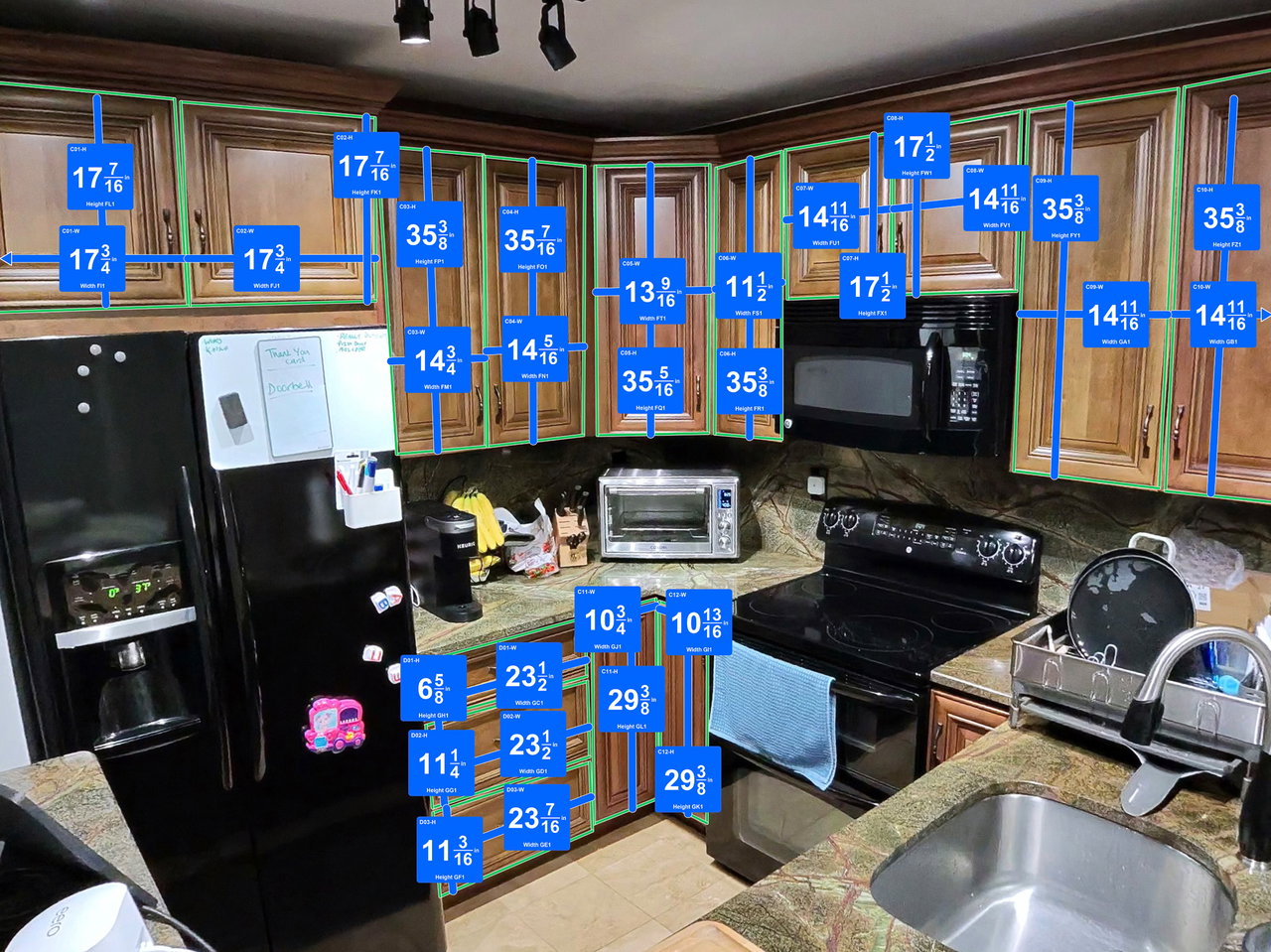
AFTER
Max, group every cabinet and drawer by size and make an order sheet for my door supplier.
CUSTOM EXPORTS
Catch it before the mistakes happen.
Your REEKON tape saves every measurement. BOLDR Max checks them against each other and tells you what's off before anything gets mounted.
MEDIA WALL CHECK
Are these media boxes centered on the wall? Make an install sheet for the TV installer.
Max checked all 11 measurements from your tape. The right box sits 11/16″ higher than the left, and the pair is 1 1/8″ left of center.
PAPER TO DIGITAL
Turn paper, sketches and plans into something you can use.
Stop retyping forms and redrawing sketches.
Turn this paper window form into a digital form my techs can fill in.
QUOTES & TOOLS
Price the job instantly
Use your own pricing and rules, not a generic calculator.
CABINETS
Generate a quote from today's countertop video using my pricing sheet on Google Drive.
A customer-ready quote priced from your sheet.
WORKS WITH
Connected to your workflow.

Claude

Excel

ChatGPT

Google Drive

Buildertrend

PDF / ERP
GET STARTED
Connect BOLDR Max to your AI
Add the BOLDR Max connector to Claude or ChatGPT so you can pull jobs, measurements and exports just by asking.
MCP/API notes

FAQ
Frequently asked questions
MCP is the standard that lets AI apps like Claude and ChatGPT talk to other software. The BOLDR Max connector uses it to let your AI read and act on your BOLDR jobs.
Claude and ChatGPT.
No, but it helps. With a REEKON tool, readings go straight into BOLDR Max instead of being typed in.
Only through the BOLDR Max connector, and only with the access you give it when you sign in.
Try being specific about the job, site and output you want, or contact our support team.