
LEARN
How to Read a Tape Measure
One of the most common tools on any home improvement or construction project is a tape measure. Reading a tape measure doesn't need to be complicated.
THE BASICS
What The Lines On A Tape Measure Mean
Every line on a tape measure has a meaning. Once you learn the pattern, the whole tape becomes easy to read at a glance. Here's how the markings break down, from the biggest lines to the smallest.
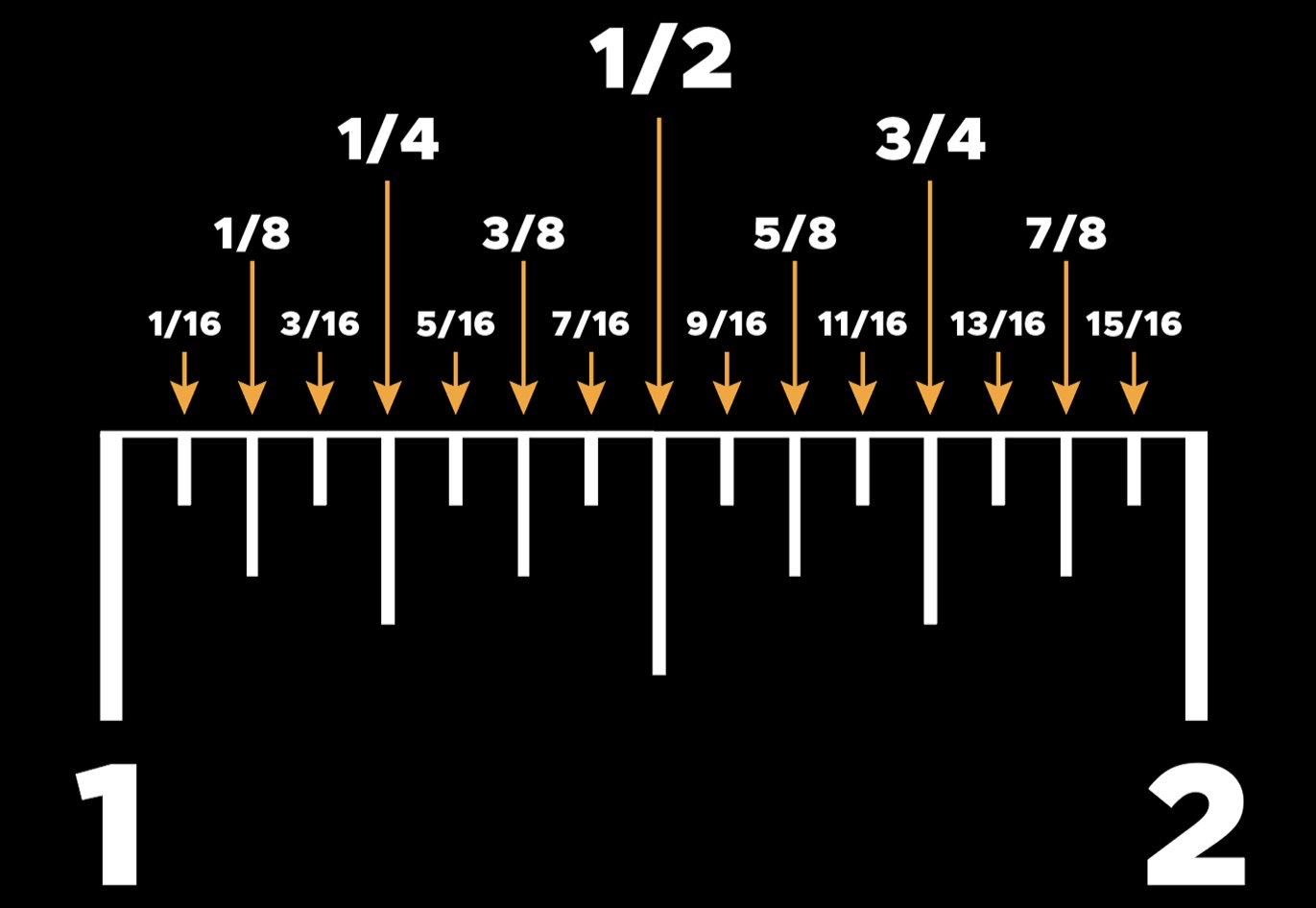
The longest lines are your inch markers. They're bold, they're numbered, and they're easy to find. Every full inch gets one.
Halfway between those inches is a slightly shorter line. That's your 1/2 inch. You'll only see one per inch.
Split the inch even further, and you'll find 1/4" and 3/4" marks — the next longest lines after the half. There are two per inch, right between the inch and the half.
Going tighter, you'll see your 1/8 inch increments. These break each quarter into two pieces, giving you four of these per inch.
Finally, the shortest lines on the tape mark 1/16 inch. These are tiny but powerful, and they give you the precision needed for fine finish work. You'll find eight of these per inch.
That’s 16 marks per inch total. Once you know how to spot which ones are which, reading any measurement becomes second nature. Some tapes may even have another set of lines in each gap indicating a 1/32" increment.
How to read a tape measure step by step
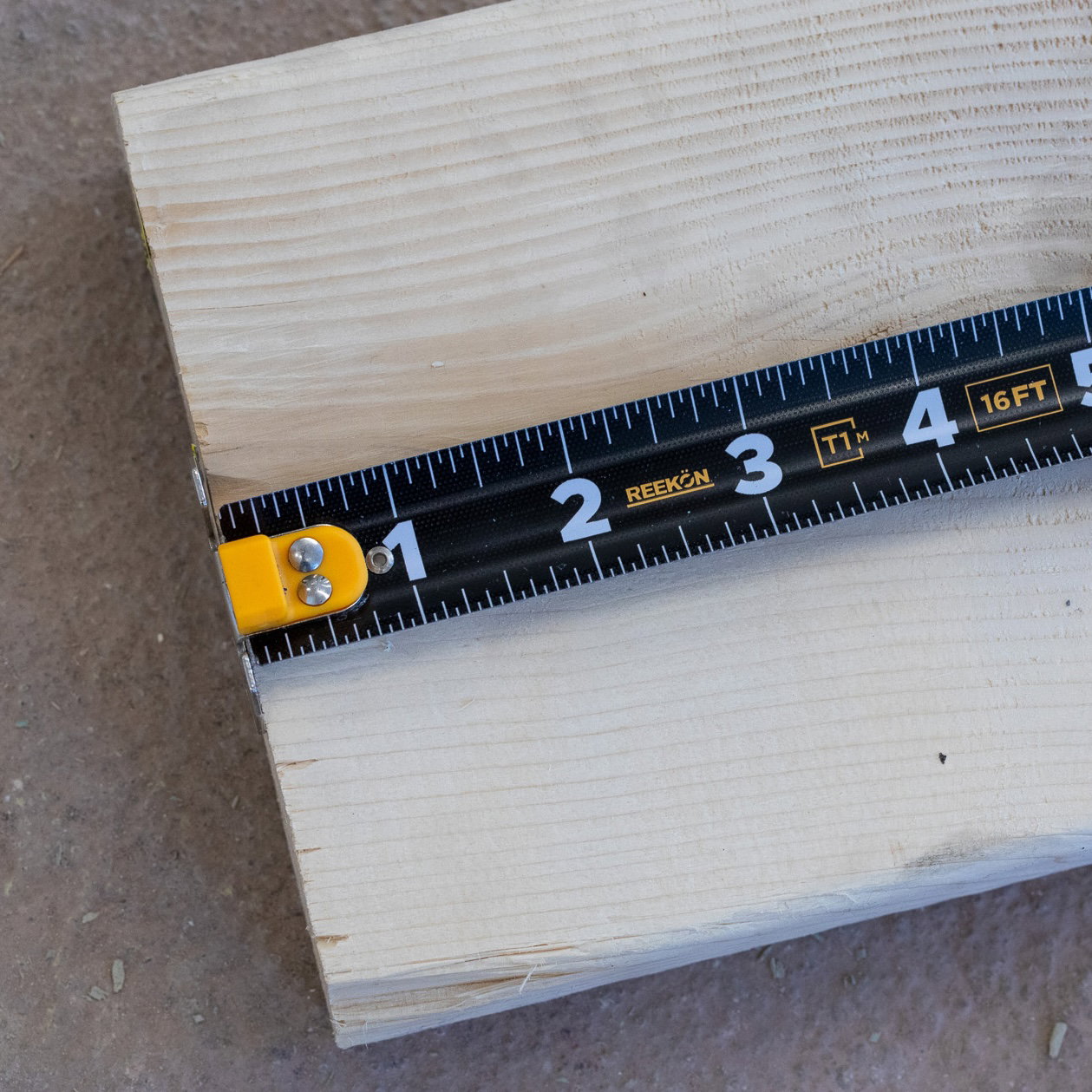
Find the last whole inch
before your mark (the big numbered line).
Count the smallest lines
(sixteenths) from that inch to your mark.
Reduce the fraction.
8/16" = 1/2", 4/16" = 1/4", 12/16" = 3/4". A mark three short lines past 4" is
4 3/16"
.
With practice, you'll stop counting sixteenths one by one and start reading from the nearest half or quarter "a quarter past 4, minus a sixteenth" is 4 3/16" without counting all the way up.
Reading a tape measure in millimeters
Metric is often faster to read because there are no fractions. Read the centimeter number, then count the small millimeter lines past it (10 mm per cm).
Stud Marks, Diamond Marks, and What They Mean
Most standard tapes have two special indicators printed on them.
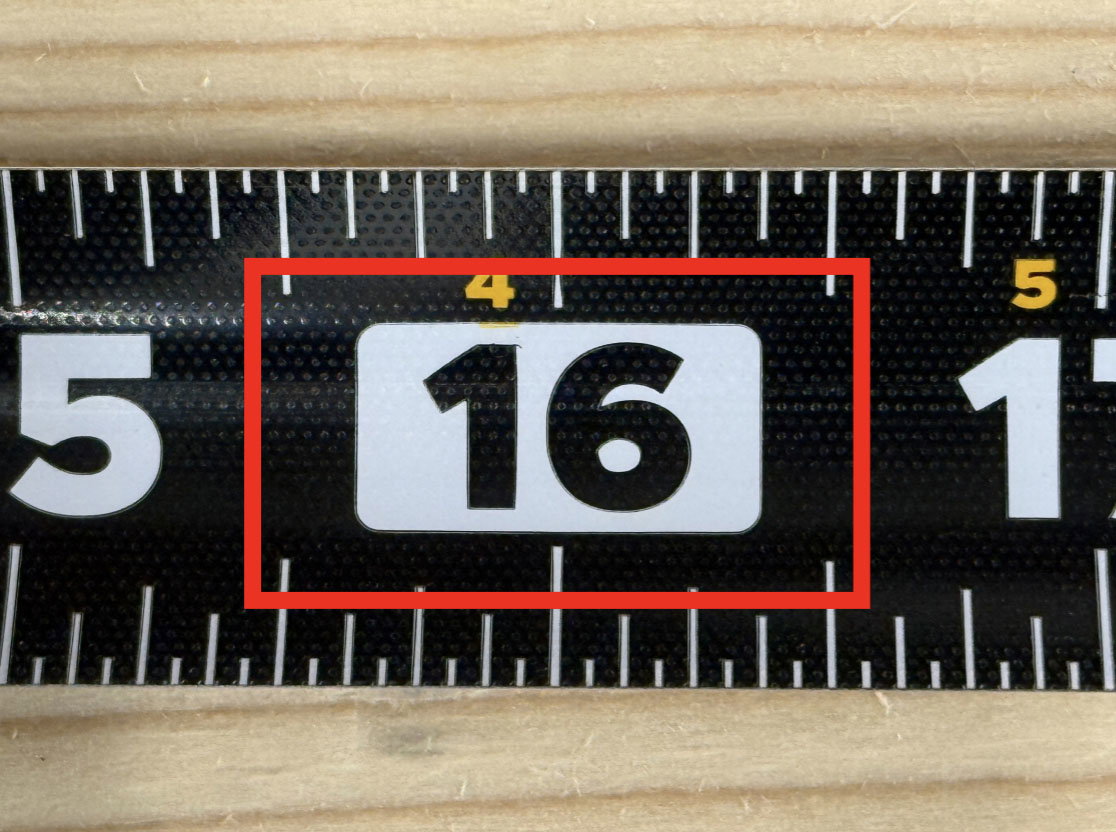
Stud Marks
These are stud spacing marks (common in wall framing). Place a stud every 16 inches and you’re building to code.
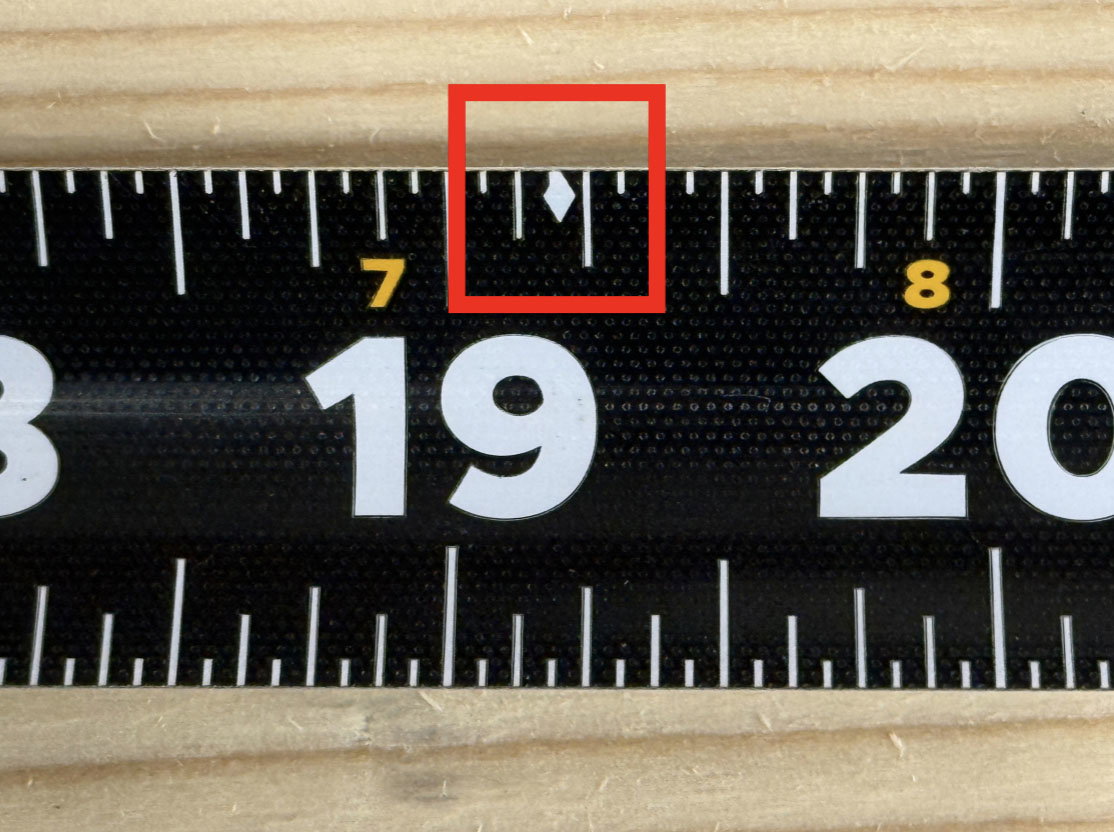
Diamonds
These are truss/joist layout indicators for engineered spacing. They can be found ever 19.2 inches which means you’ll see 5 diamonds per 96” (8-foot sheet). This is perfect for laying out supports under full sheets of plywood or OSB.
Understanding “Light” and “Heavy” Measurements
In the trades, we don’t always measure to the exact tick. Sometimes, it’s faster and more practical to work just a little before or just past a marked fraction. That’s where “light” and “heavy” come in.
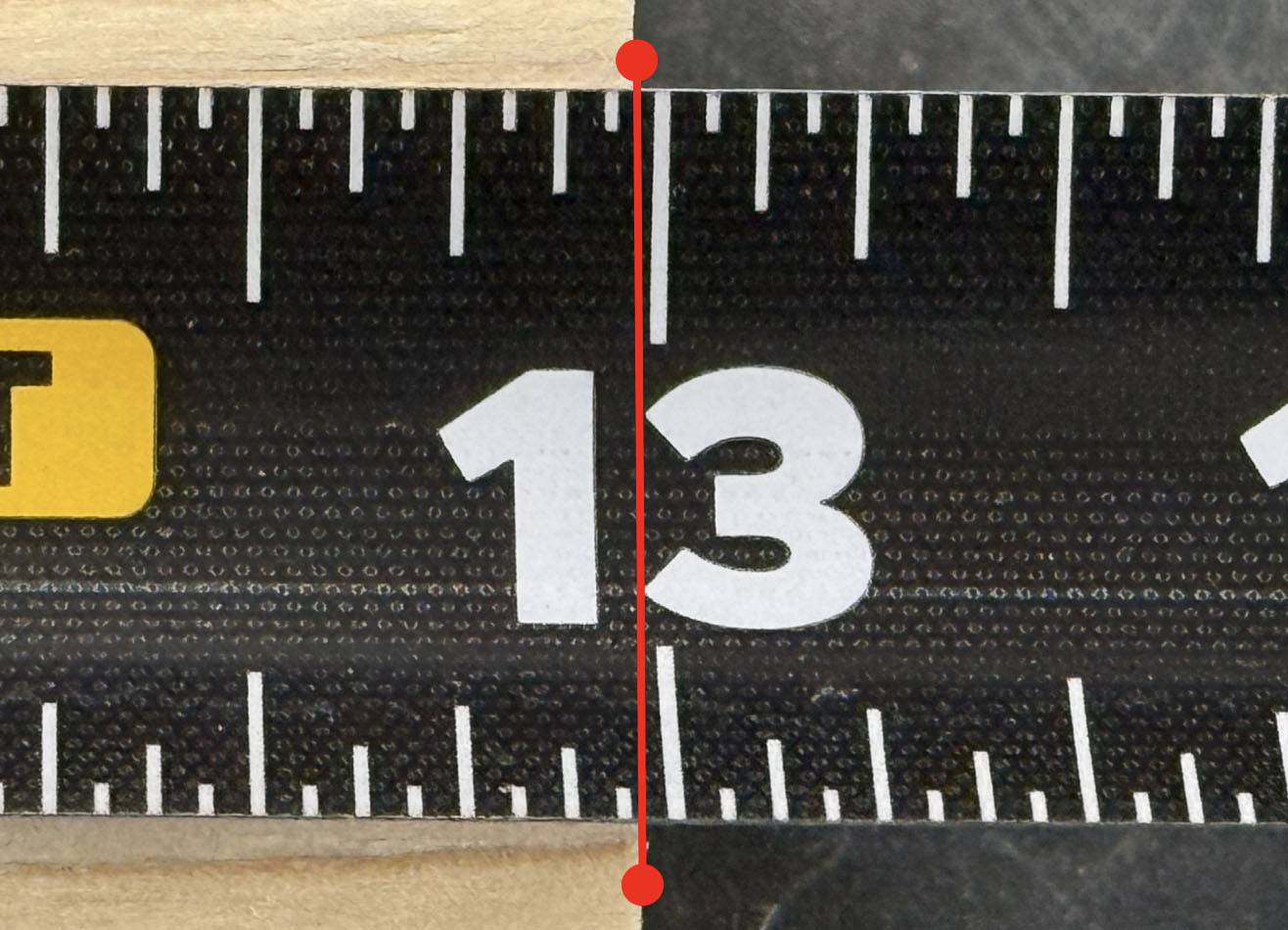
“Light” Means Just Under
If someone says “cut it light 1/2”, they mean just shy of 1/2". Maybe closer to 7/16", but not quite. You’re easing up on the size, not going all the way to the next tick.
Common phrases you might hear on the site:
“Light 1/4”
“Just shy of 3/8”
“Hair under a half”
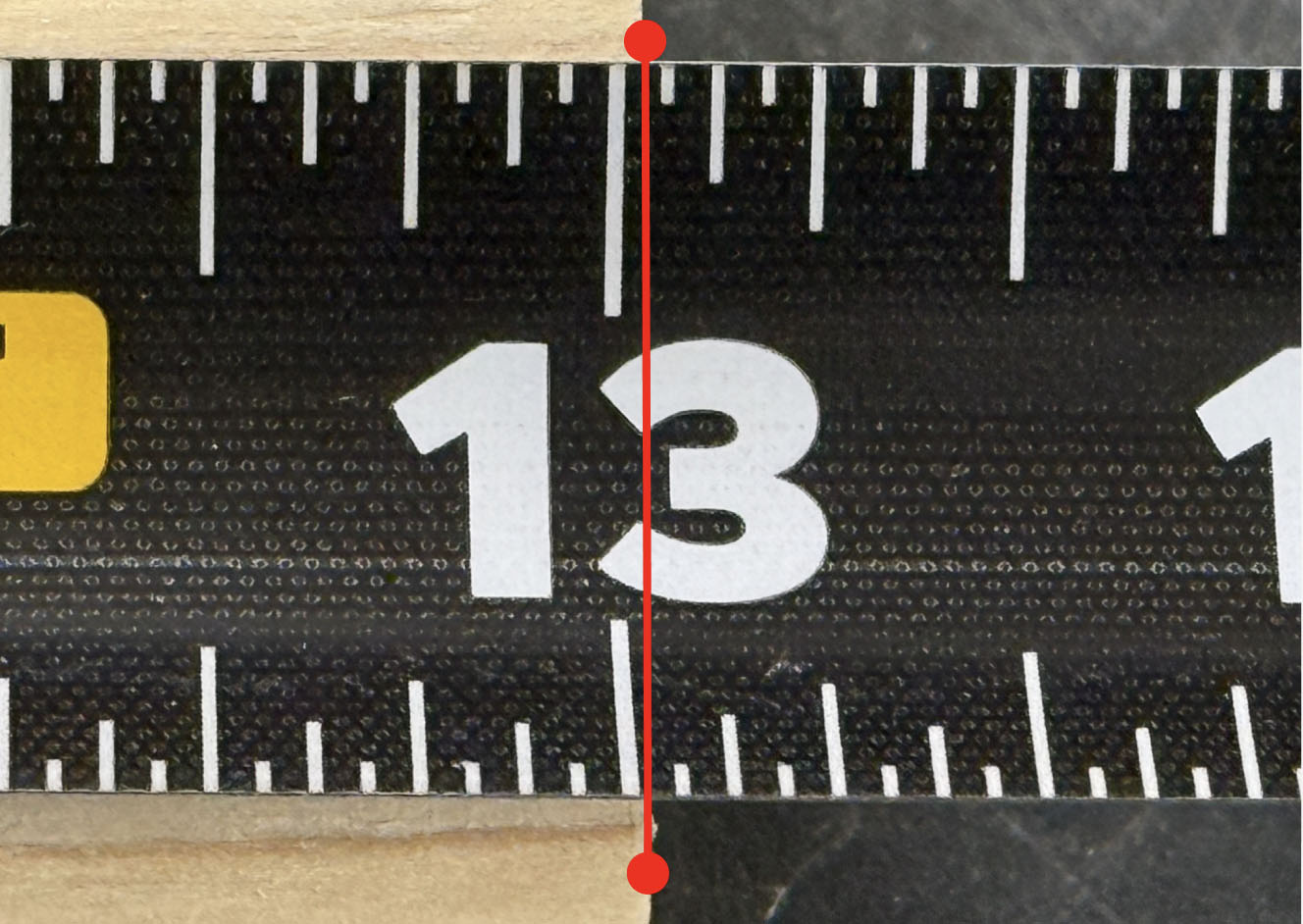
“Heavy” Means Just Above
“Go a heavy 3/4”” means just over the 3/4" mark—closer to 13/16", but not right on it. You're giving it a little extra room—just enough to make it fit or stay snug.
Common phrases you might hear on the site:
“Heavy 1/2”
“Touch past 5/8”
“Just fat of a quarter”
STEP 2
Why the Tape Hook Moves (And Why That’s a Good Thing)
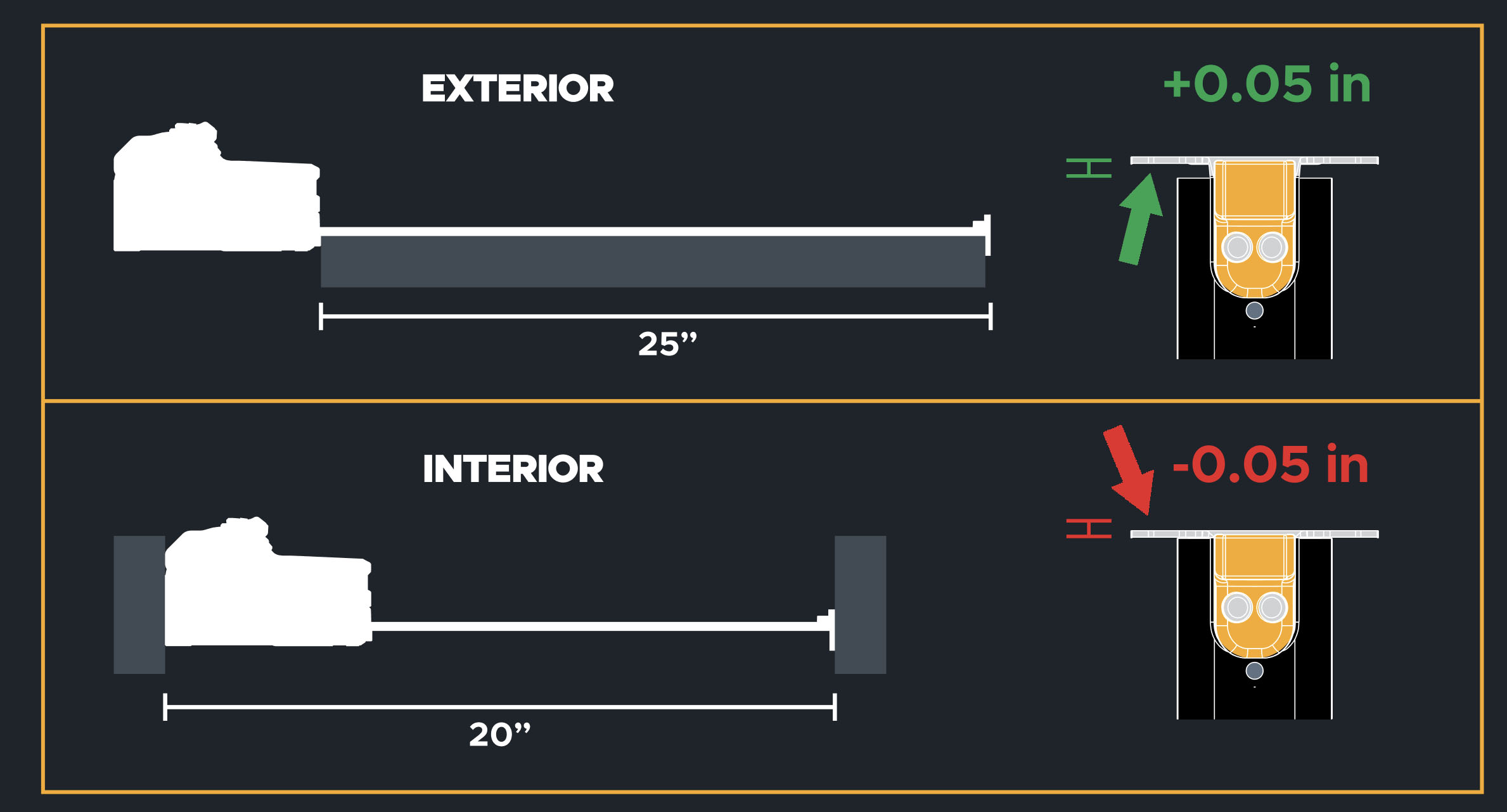
The metal hook at the end of your tape measure is designed to move back and forth exactly the thickness of the tape hook metal (usually around 1/16"). When you pull the tape (outside measurement), the hook is pulled tight—the tape starts at zero as it is measuring from the inside portion of the metal tip) When you push the tape (inside corner), the hook compresses inward. This compensates for the hook’s thickness and allows it to measure from the outside of the metal.
Without that play? Every inside or outside measurement would be off by the thickness of the metal.
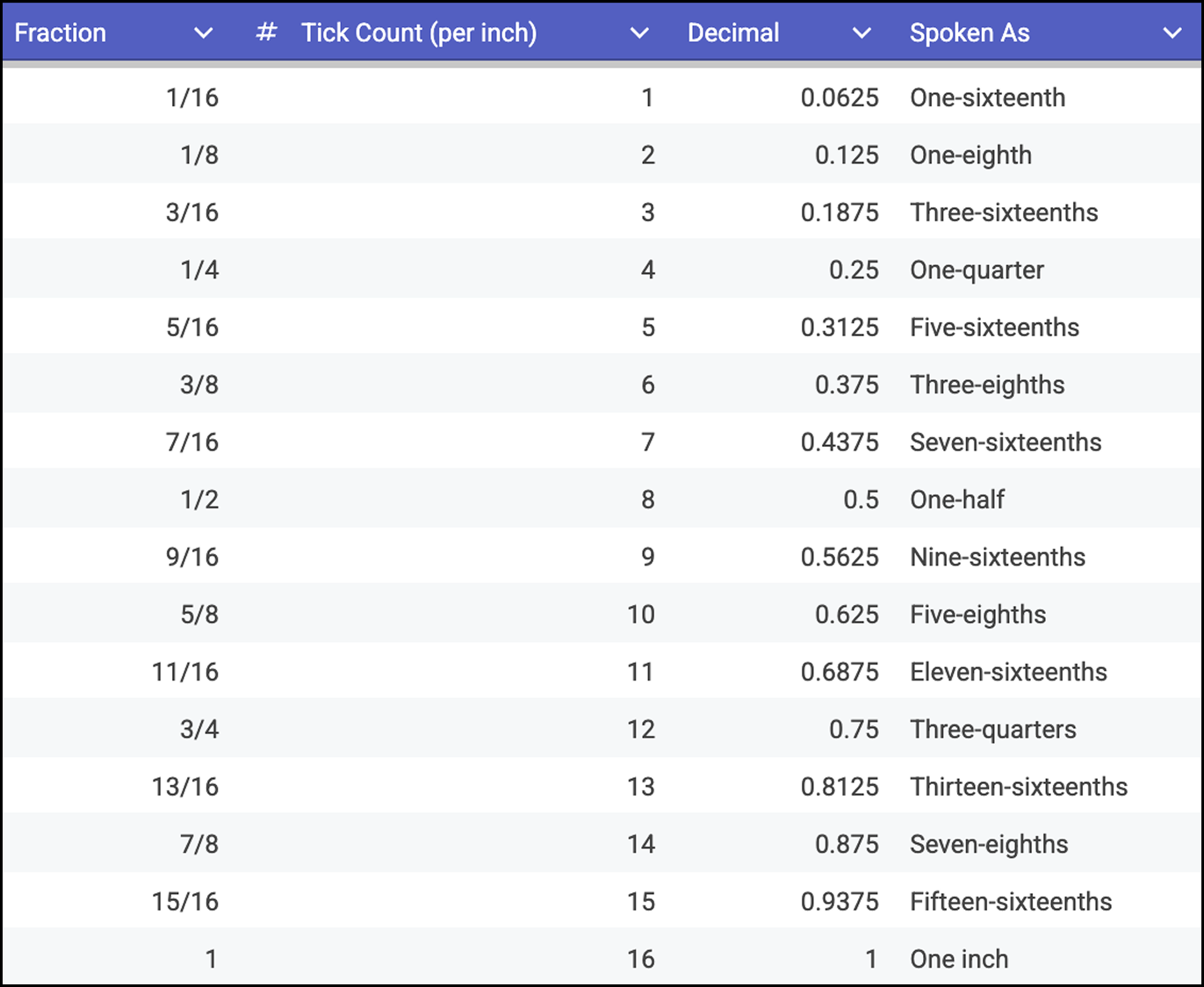
Quick Reference: Tape Measure Fractions
View or save this chart as an easy guide to count, say, or write measurements.
STEP 3
Stop Reading Fractions Altogether
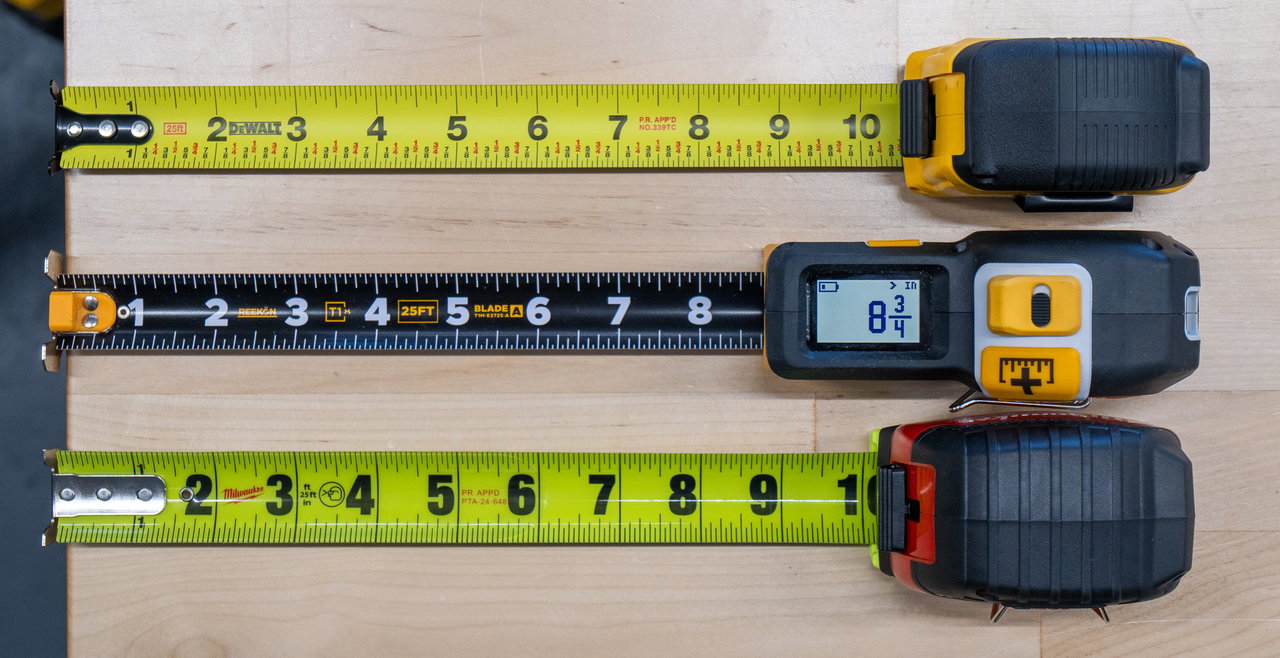
The most reliable way to avoid a misread is to not read a fraction at all. A digital tape measure shows an exact number on a screen and remembers it for you:
No Fraction Misreads
Perfectly display 1/32" (0.5mm)
Never Lose A Measurement
Save measurements and recall them instantly
Share Over Bluetooth
Send any measurement into spreadsheets or any text field
Switch Units Instantly
Diagnose and fix common issues fast
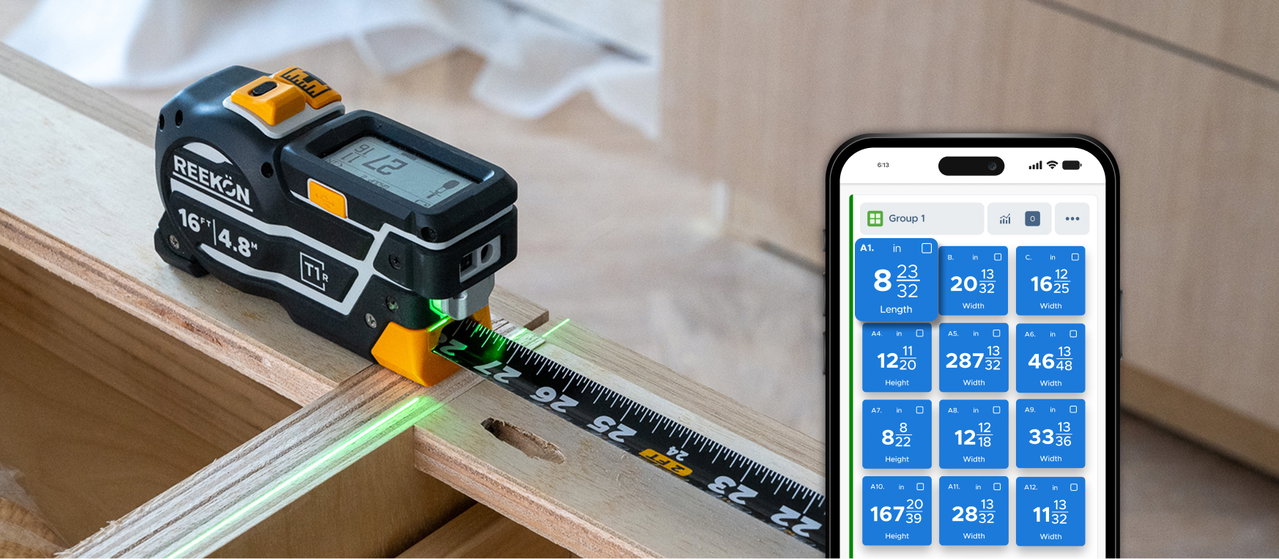
Never Forget a Measurement
Save measurements with a button click and never write down again
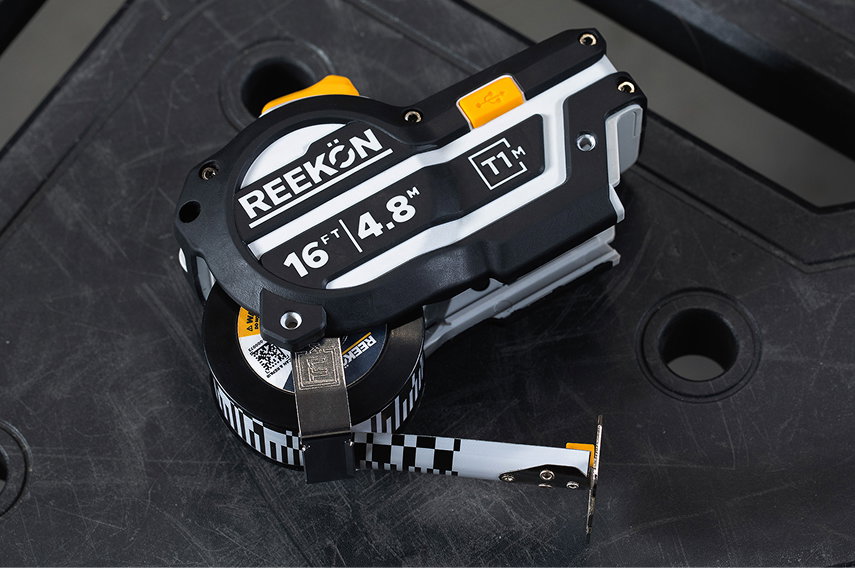
The Last Tape
You’ll Ever Buy
Replaceable Tape Measure Blades and impact protected housings
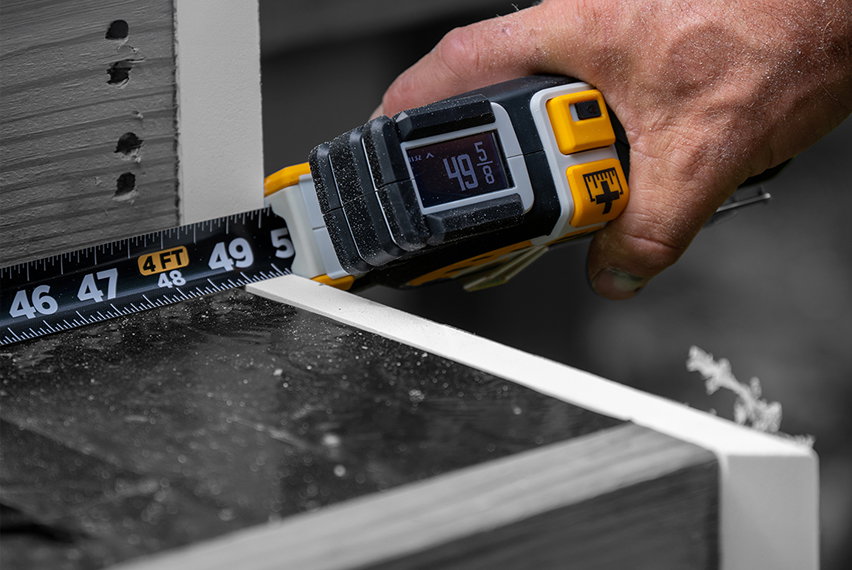
Repeat Dimensions
With a Button Click
Measure stairs, railings, spacings and more without forgetting a single measurement
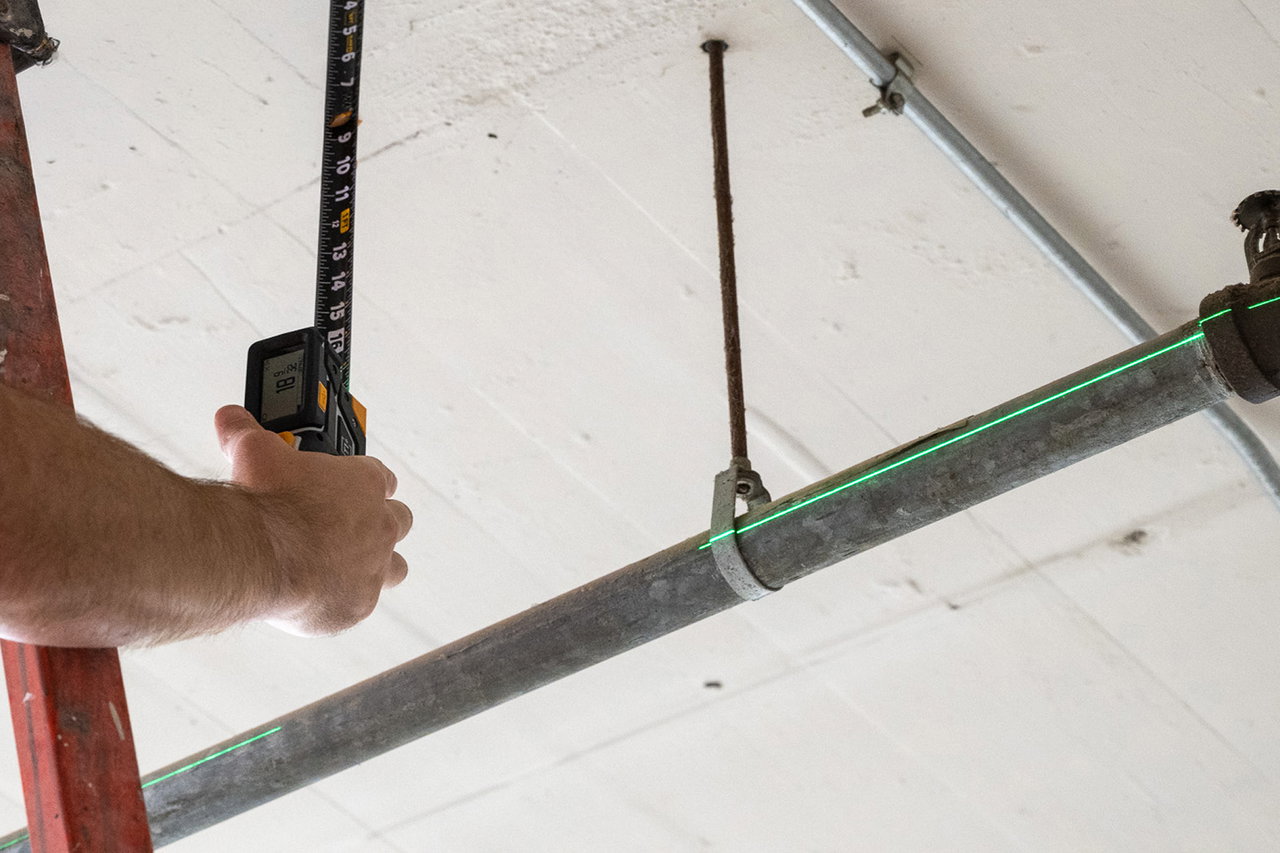
One Handed
Safe Operation
Green alignment laser and measurement lists allow for safe and practical use with a single hand
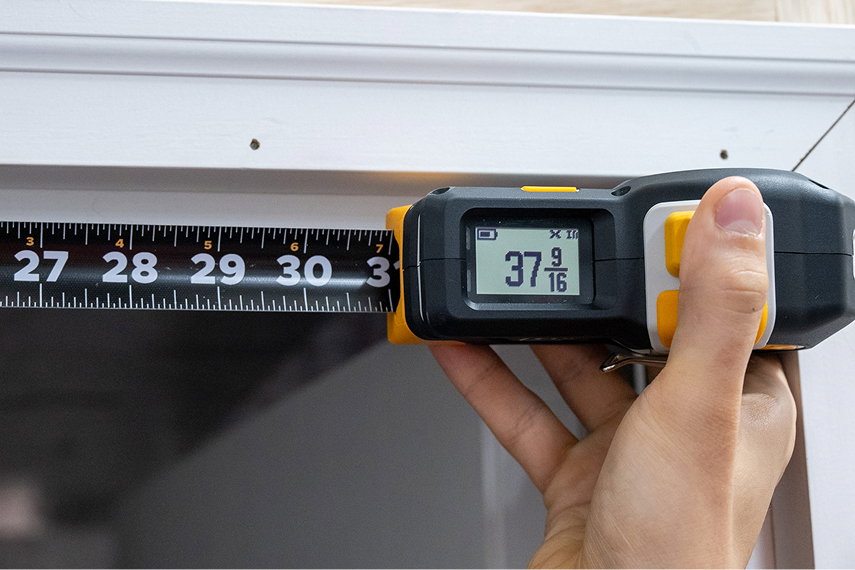
Measure Openings
Without Bending The Tape
Measure from the back of the tape for easy measuring of trim, millwork, flooring, windows and more
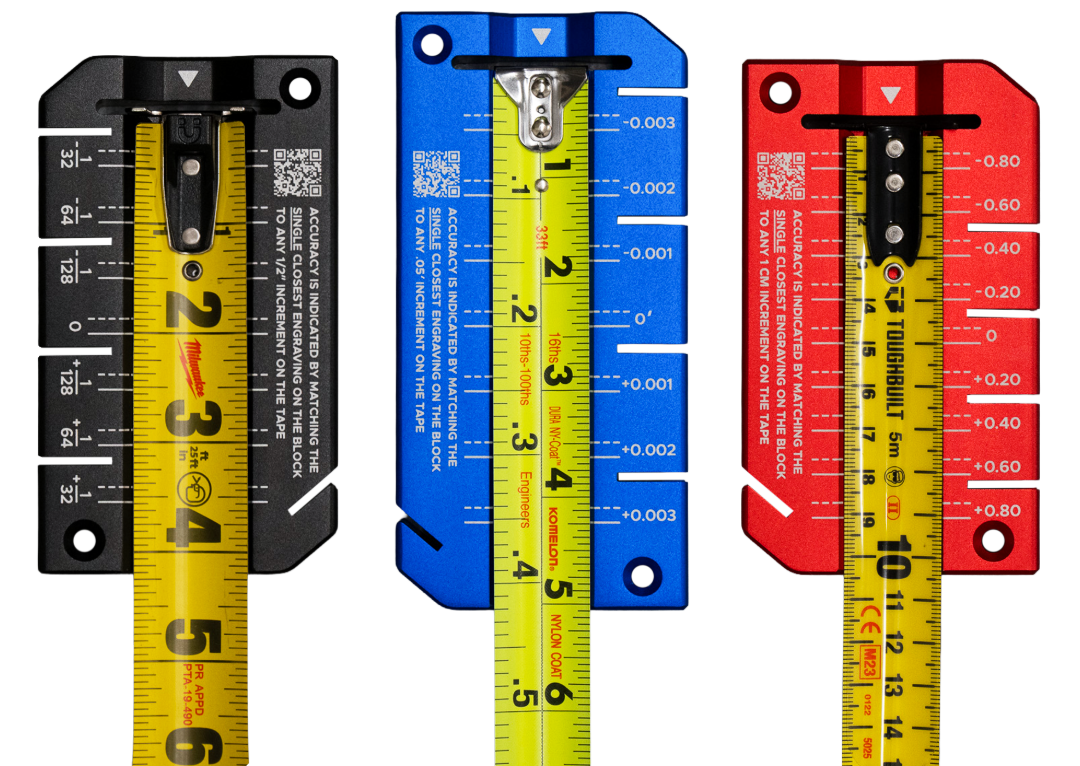
Is Your Tape Measure Accurate?
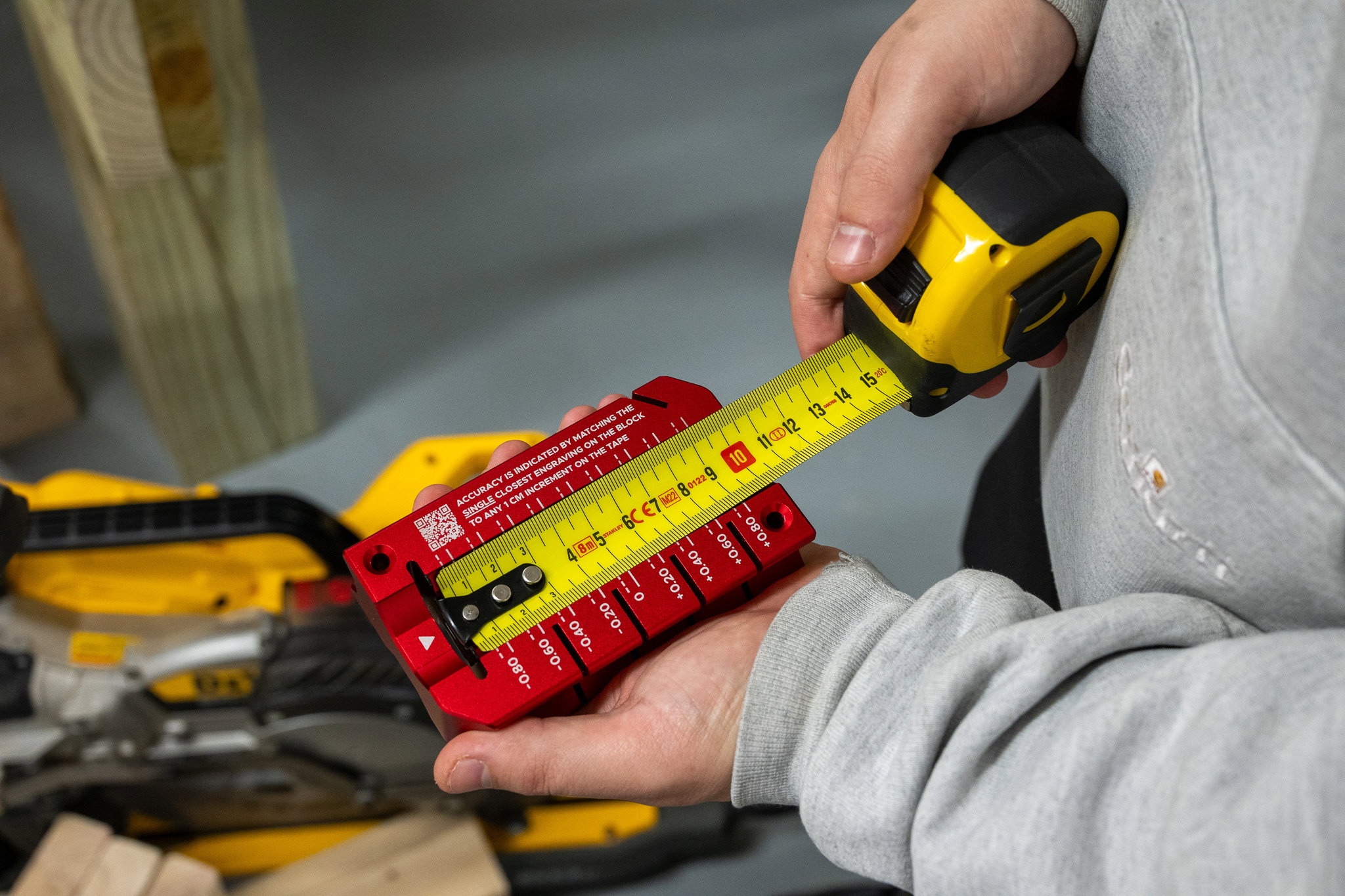
Reading correctly only helps if the tape is correct. Bent hooks, worn blades, and drifted printing add error to every reading. Check any English, Metric, or Split blade in seconds with the REEKON Accuracy Block.
Frequently Asked Questions
Find the last whole inch, then count the fraction past it. The shortest lines are 1/16"; count them from the whole inch and reduce (8/16" = 1/2"). Metric blades read in centimeters and millimeters.
The longest numbered line is a whole inch, then 1/2", 1/4", 1/8", and the shortest lines are 1/16". The taller the line, the larger the fraction.
Red numbers/boxes mark every 16" for 16"-on-center framing. Black diamonds fall every 19.2" for an engineered floor-truss layout (five points per 8-ft sheet).
Read the centimeter number, then count the millimeter lines past it (10 mm per cm). Split blades show inches and mm together.
Yes — a digital tape shows an exact reading to 1/32" (0.5mm), stores 1,000+ measurements, and shares them over Bluetooth, eliminating misreads and transcription errors.

SUPPORT
Still Need Help? Reach Out!
Everything you need to get the most out of your REEKON tools.
VISIT SUPPORT CENTER
Still have questions? Our team is here to help.
Contact Us